Click below to watch our Flash movie! This is the full guided tour of Zoom, showing you just
how easy it is to add search to your own website.
How Zoom works
The following is a brief HTML tour of how you can add a search
engine to your website, using the Zoom Search Engine package.
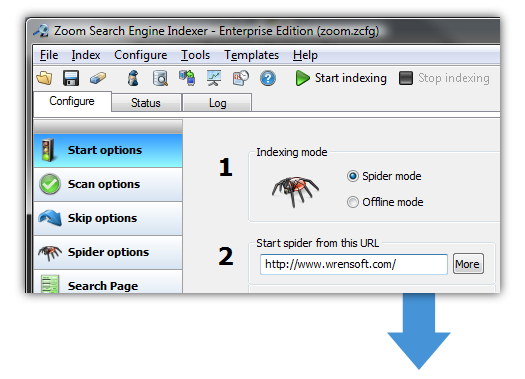
| First, index your site using the Zoom Indexer from any Windows desktop computer. |
 |
|
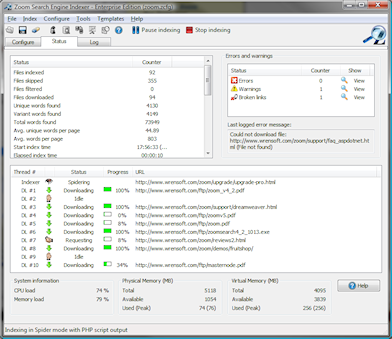
Zoom will scan through
all the pages of your site, and create a set of index
files for your search engine.
|
 |
|
|


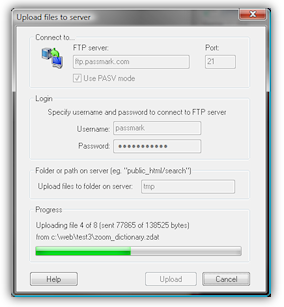
Once the index files have been generated, you can upload
them to your website using Zoom.
Alternatively, you can copy them over to a CD-ROM,
DVD-ROM, or local Intranet server.
|
... and that's it!
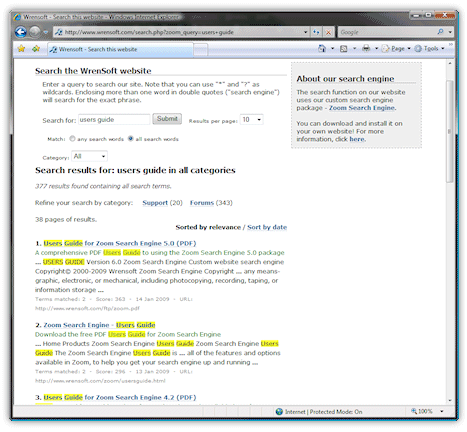
Now just start up your favourite web browser and enter the URL to the search page you've uploaded, and you will find your new website
search engine, ready for action!
|
 |
Fine tune and customize everything!
Zoom is loaded with configuration options, so you can customize everything from colors, fonts, and layout
to changing text messages, the relevance/weight of pages and words, and much much more.
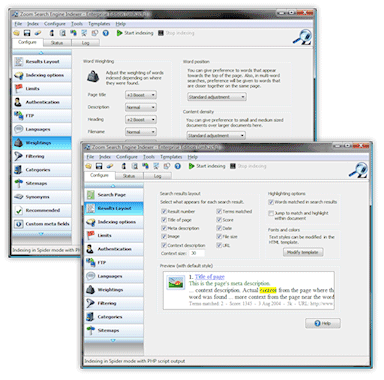
Adjust indexer settings with our simple user friendly interface! No script hacking required.
|
Find broken links, create sitemaps, ... and more
Zoom also comes packed with extra features that no web designer or site administrator can do without. Here are some of the many built-in features:
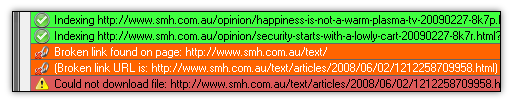
Broken link finder
Zoom will find and report broken links found whilst it crawls your website.
Sitemap generator
Zoom can generate sitemap files in Yahoo™ and Google™ Sitemap formats which you can submit to Internet-wide search engines. This can be used as an SEO (Search Engine Optimization) tool, helping these external search engines better find the pages on your site and improve your coverage on the Internet.
Search statistics reporting
Get a better idea what your visitors are looking for! Zoom can log* statistics and searches made on your site and produce graphical reports. Find out what the "Top 10 searches" are on your site for the week, month or year(s)!
 Click
here to continue the tour and find out more. Click
here to continue the tour and find out more.
|
|
|